Recording is just the start · Built for follow-through & AI agents

From talk to
tracked follow-through.

Most voice apps stop when the transcript finishes — leaving promises and decisions buried in a wall of text. VoiceMemo is built around what happens after you hit stop: smart task ownership (2-way Apple Reminders & Calendar sync) and clean, structured context ready for your AI agents.

Download on theApp Store
Scan to install
point your camera here
Apple Watch 1-Tap Record · Meeting Radar 2-Way Reminders Sync · Native MCP Audio Share Sheet · 120fps Silky Scrubber
Wrist Capture & Meeting Radar My Tasks & Reminders 2-Way Sync AI Agent Native MCP Integration Audio Share Sheet Import 120fps Silky Playback
No. 1Wrist Capture & Meeting Radar

Capture on your wrist,
alerted before meetings begin.

Inspiration and spontaneous hallway talks don't wait for you to unlock your phone. Tap the Apple Watch complication, Action Button, or raise your wrist to record long meetings or passing thoughts without friction.

With Calendar Sync enabled, your watch surfaces an upcoming meeting card 5 minutes before scheduled meetings, and delivers an interactive haptic reminder at start time with a 1-tap "Record Meeting" button that automatically binds meeting attendees and titles. Recordings buffer securely on your watch and sync to your iPhone seamlessly in the background.

Record up to 3 hours directly from your wrist. Dynamic audio levels, gold bookmarking, and proximity sync work without any manual fiddling.
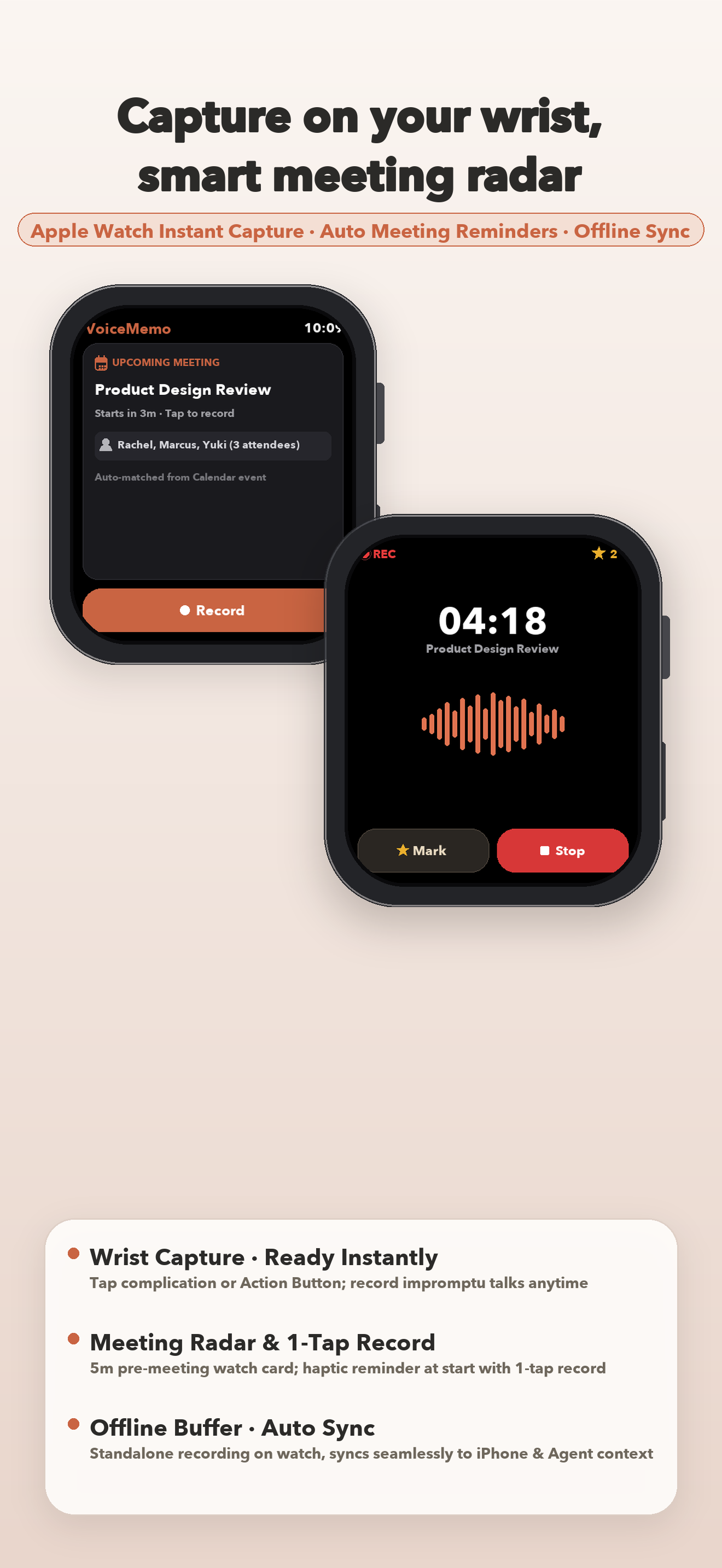
VoiceMemo Apple Watch Impromptu Capture and Meeting Radar
No. 2The core of follow-through: task management & reminders

Recording isn't the goal.
Closing the loop is.

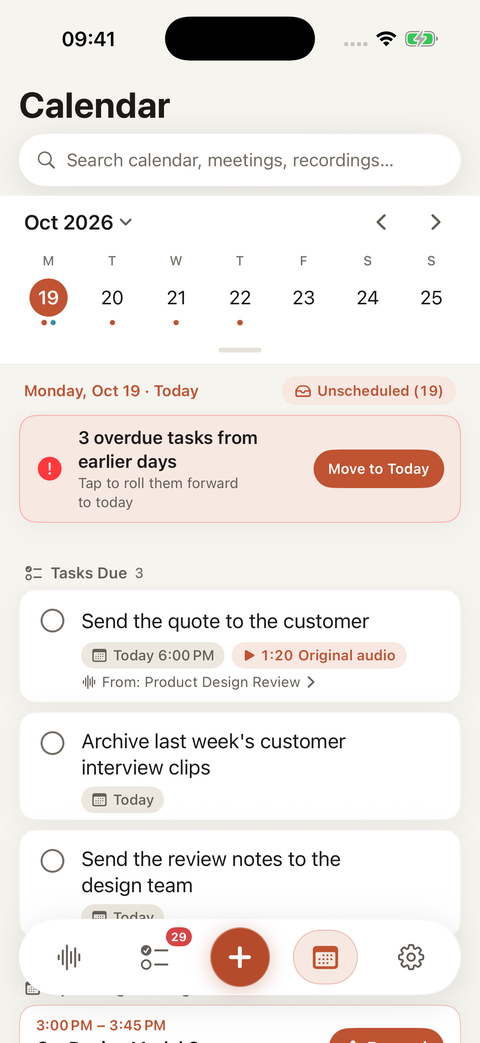
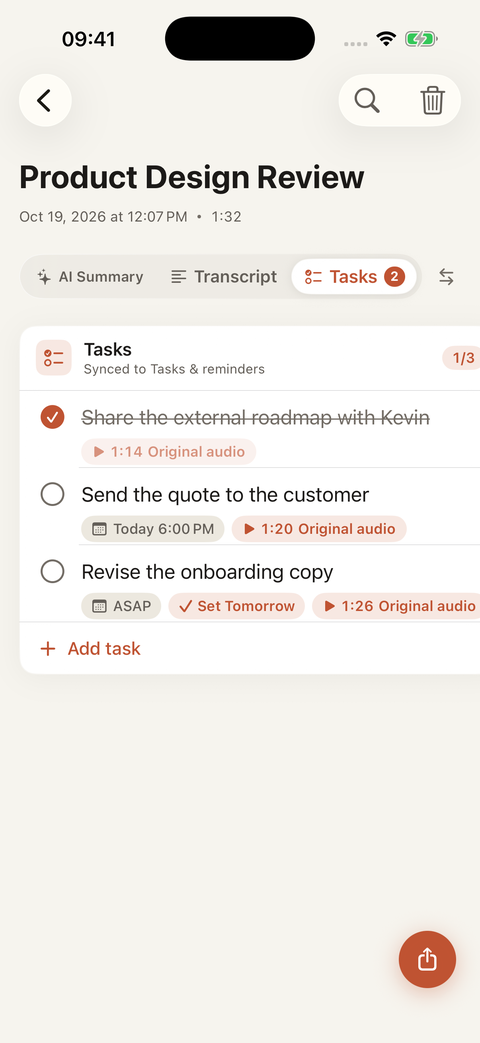
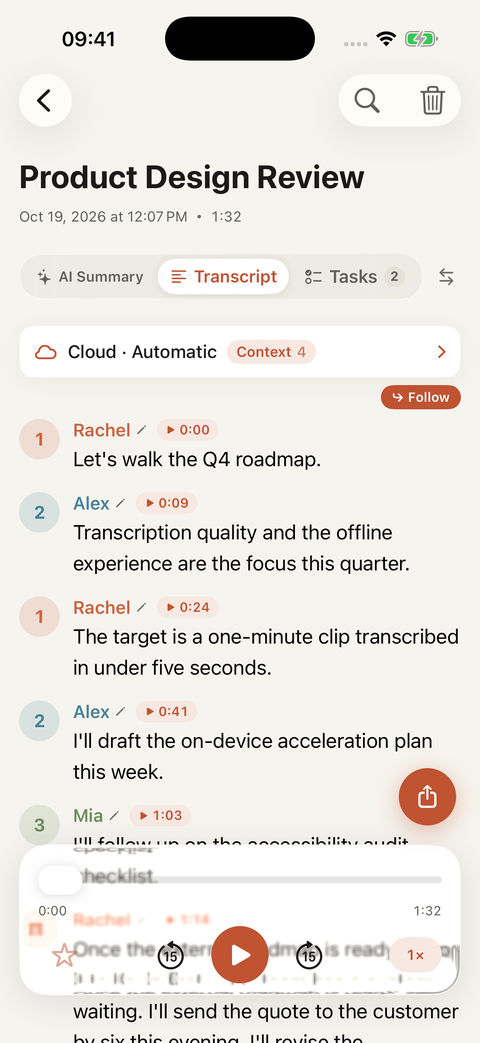
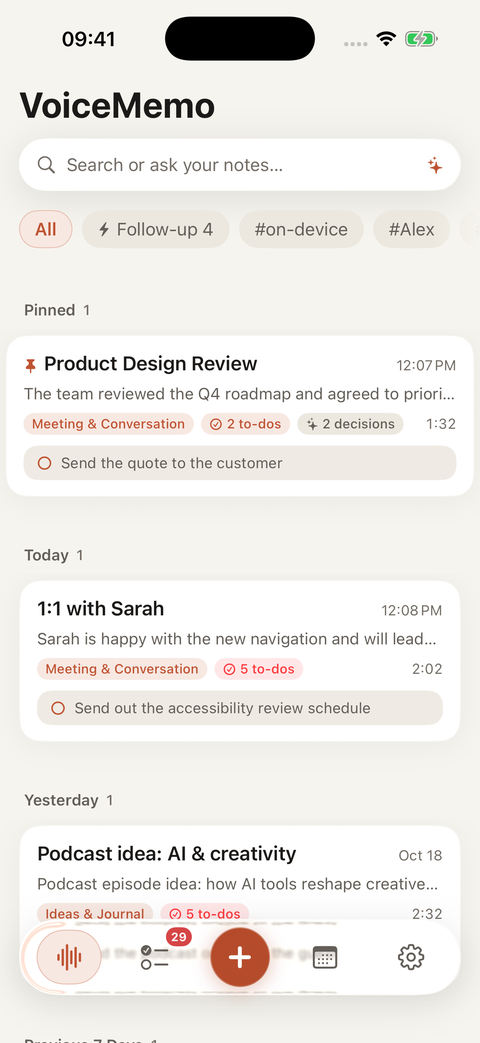
Ordinary transcription apps dump every loosely mentioned to-do into one messy list — so you stop trusting it. VoiceMemo recognizes who you are (set your name once or tap “This is me” on a speaker) and extracts your personal commitments into your dedicated My Tasks hub with bi-directional Apple Reminders and iOS Calendar sync. Other participants' remarks stay organized inside the meeting notes without cluttering your personal to-do list.

Spoken deadlines (“today at 6 PM”) become exact 24h reminders, fuzzy phrases (“ASAP”) get one-tap suggestions (“✓ Set Tomorrow”), and every task has a ▶ timestamp button that jumps straight back to the exact spoken promise — plus Lock Screen complete/snooze actions and a concrete 4-line morning daily briefing with task titles and urgency sorting.

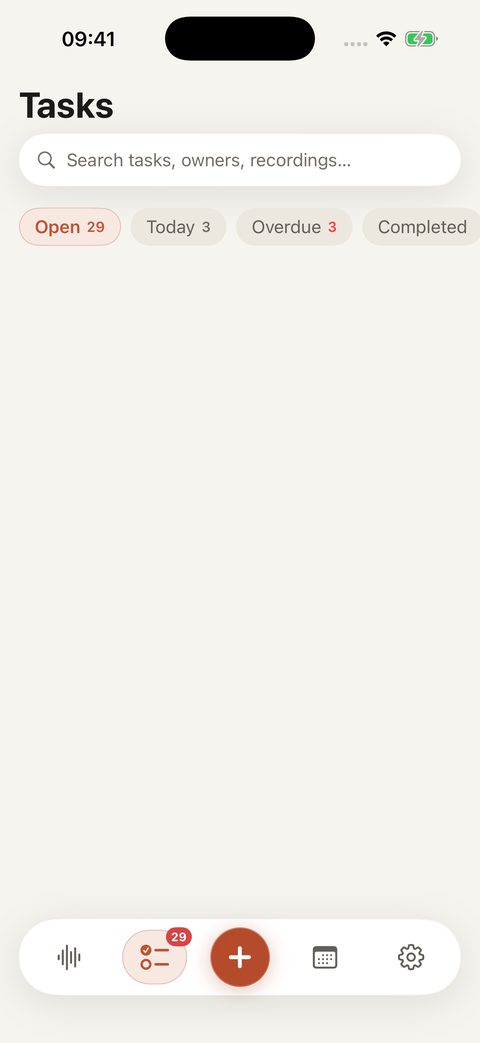
Tasks tab · Personal ownership & reminders
Me
Send the quote to the customer
📅 Today 6:00 PM · ▶ 1:20 replay quote
My follow-up ✓
Me
Revise the onboarding copy
📅 ASAP · 1-tap “✓ Set Tomorrow”
Synced to Tasks
M
Draft on-device acceleration spec
Marcus · Preserved in meeting notes
Summary reference
Me
Confirm speaker separation scope
Today 6:00 PM · 2-way Apple Reminders sync
My to-do
No. 3Native MCP Integration: Real-world Second Brain for AI Agents

Native Model Context Protocol (MCP) support.
Connect your voice notes directly to Antigravity, Codex, Claude, Cursor, GrokBot, Hermes, and OpenClaw.

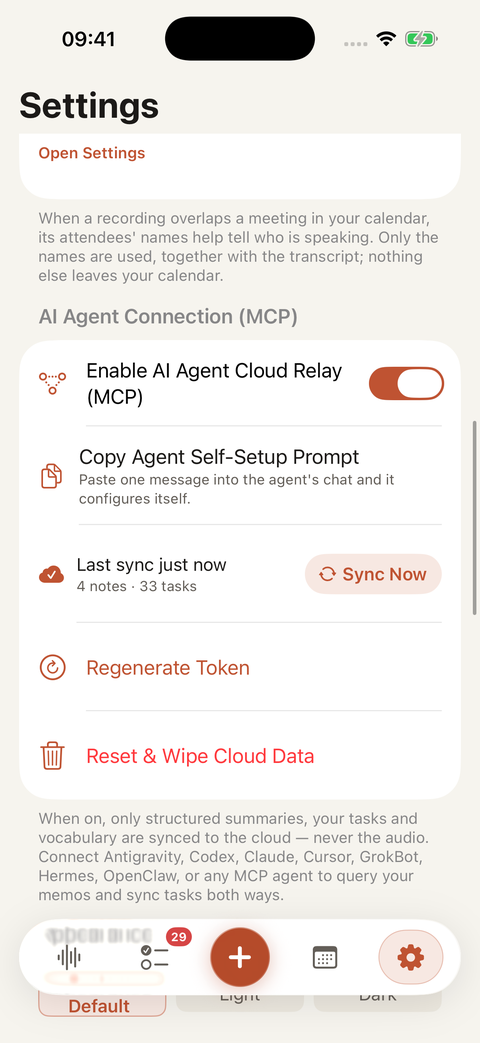
In-person meetings, client negotiations, and spontaneous whiteboard brainstorms hold the real-world context your AI agents need most — yet manual copy-pasting is noisy and slow. VoiceMemo is the first voice application with native Model Context Protocol (MCP) server integration.

Two-way read & writeback for modern agents: authorize Antigravity, Codex CLI, Claude (Code & Desktop), Cursor, GrokBot, Hermes, or OpenClaw to search meeting decisions, retrieve verbatim quotes, and manage your to-dos. Modern agents can not only read your open tasks (voicememo_list_my_tasks), but also mark tasks complete, schedule new follow-ups, update deadlines, and rename speakers directly from their CLI or editor sessions. When an agent updates your tasks, VoiceMemo notifies your iPhone instantly with interactive cards.

Includes one-click configuration snippets and copy-paste self-setup prompts tailored for Antigravity, Codex, Claude, Cursor, GrokBot, Hermes, OpenClaw, WorkBuddy, and Trae.

NATIVE MCP SERVER · TWO-WAY AGENT RELAY
Streamable HTTP: https://api.voicememo.work/mcp
Direct MCP read & writeback connection for Antigravity, Codex, Claude, Cursor, GrokBot, Hermes, OpenClaw, and custom agents.
AntigravityCodexClaudeCursorGrokBotHermesOpenClaw2-Way Writeback
No. 4Speaker separation

Who said what,
on the record.

Multi-person recordings up to three hours long come back split by voice — every paragraph labeled and timestamped, up to six speakers. Preview each speaker's voice clips inline before naming them or marking “This is me”; the AI reads self-introductions and how people address each other, then suggests who's who. You confirm, and names carry into summaries, task ownership, and PDF exports.

Suggestions come only from the conversation itself. Nothing is applied without you.

Speakers · 3 detected
R
Rachel (This is me)
was “Speaker 1” · Tasks route to My Tasks
Named ✓
M
Marcus
was “Speaker 2”
Named ✓
3
Speaker 3
preview voice clip & confirm
Yuki, maybe?
No. 5Personal vocabulary

It learns your words.

Spot a misheard name or jargon? Select it to preview the original audio clip inline, batch-replace it across transcripts, summaries, speakers, and tasks, and pick the next word right inside the card to keep editing continuously. Confirm a correction once, and every future transcript and agent export writes it properly in a 100-term vocabulary that's yours alone.

People and terms live in one directory — it also powers speaker-name suggestions and grounds your summaries.

Vocabulary · growing with you
“Deploy the build to cooper nettiesKubernetes before Thursday's launch.”
Corrected once — written properly in every recording after that.
KubernetesDr. NakamuraQ3 retroFigma
No. 5Ask your notes
“What did we actually decide about pricing last week?”

Search globally across titles, summaries, transcripts, and tasks from the top bar, or ask in plain language. VoiceMemo reads across every recording you've made and answers with the exact spot it found it. Your conversations stop being files — they become a memory that talks back.

No. 6And the rest of it

From capture to follow-through.

Dedicated My Tasks hub & reminders

Tracks your own commitments with 2-way Apple Reminders sync, exact 24h due times, Lock Screen complete/snooze actions, a 9:00 AM daily briefing, and ▶ one-tap audio replay.

4-scene unified summaries (Agent-ready)

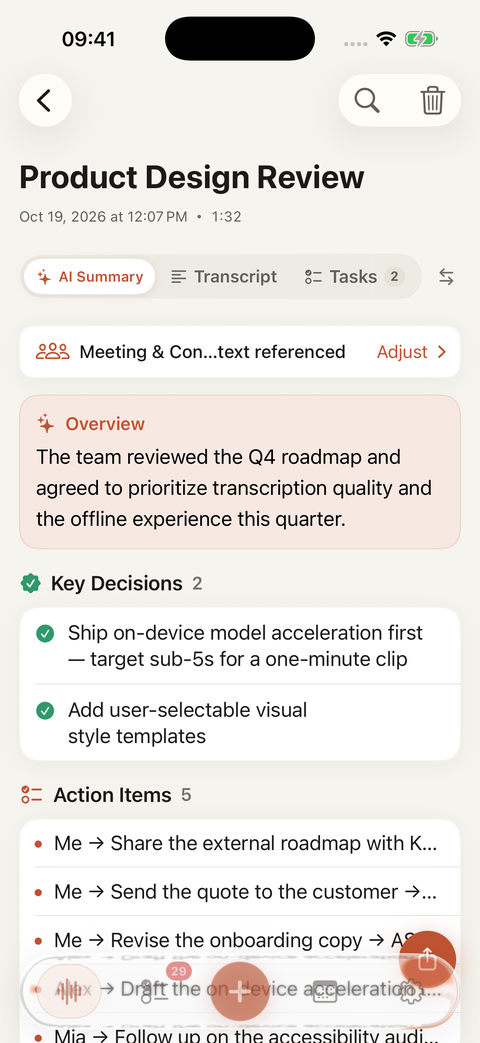
Meeting, Lecture, Journal, and General templates produce a consistent 6-part breakdown: overview, key decisions, action items, open questions, key points, and verbatim quotes ready for AI agents.

One-press capture & live controls

Bind the Action Button, Lock Screen, or Siri. Start with the screen off, and pause, resume, or stop right from the Lock Screen and Dynamic Island.

Nothing gets lost

Lock the screen, switch apps, lose signal — transcription continues in the background, and interrupted recordings gather in a Needs Review center for one-tap retry.

Export for humans or AI agents

Copy structured Markdown context straight into your AI agent, export a PDF for the team, share an image card, or export the original audio.

Private by design

Transcribed on your device by default. Audio lives on your phone and your own iCloud — never on our servers.

Thinking about a $159 AI recorder?

The capabilities that sell those devices — speaker separation, accurate transcription, structured summaries, and task follow-through — are software. VoiceMemo puts them in the phone you already carry. The hardware only earns its price for phone-call recording and wearable capture.

Read the honest comparison →
Nothing to buy, charge, or forget. Your recorder is wherever your iPhone is.
From recording straight to follow-through. Transcribe, summarize, track your tasks, and copy structured context for your AI agents in one app.
It keeps getting smarter about your world. A personal vocabulary the hardware can't copy.
No. 7Transcription engines

Privacy or accuracy — you choose.

On-device · Default · Free

Local transcription

Processed entirely on your iPhone. Neither audio nor text is uploaded — it works even in airplane mode.

Cloud · Included on every plan

Cloud engine

Higher accuracy on recordings up to 3 hours long, with custom vocabulary calibration and speaker separation for up to six voices. Used only when you choose it, over an encrypted connection. Runs on your monthly AI minutes — 60 free, 1,200 with Pro.

No. 8Pricing

Start free. Upgrade when you're ready.

Free
$0forever
Every feature included
  • Unlimited local recording
  • On-device transcription — private, unlimited
  • 60 AI minutes a month
  • 100-term personal vocabulary
  • My Tasks hub, speaker separation, chat, exports — all included
  • Cloud engine · high-quality model · no watermark
Download free
7-day free trial
Pro
$2.92a month
$4.99Save 42%
billed annually at $34.99 · or $4.99 monthly
  • Same features — twenty times the minutes
  • 1,200 AI minutes a month
  • Room for about 40 minutes of recording, every day
  • Everything else identical to Free
Start the free trial

An AI minute = one minute of your recording being processed by cloud AI — charged once per recording (cloud transcription or its first summary); re-generating and revising after that are free.
Prices in USD, billed through the App Store · manage or cancel anytime in Settings

No. 9Questions

Answered directly.

Why is VoiceMemo built around task follow-through and AI agent context rather than just recording?
Because recording is only the start — closing the loop is what matters. Most voice apps stop when the transcript finishes, leaving promises and decisions buried in a wall of text. VoiceMemo recognizes who you are (“My Name” and “This is me” speaker tagging) and extracts your own commitments into a dedicated My Tasks hub synced with Apple Reminders and Calendar, complete with exact 24h reminders, fuzzy date suggestions (“ASAP → ✓ Set Tomorrow”), and ▶ audio jump to the original promise. At the same time, it turns noisy spoken audio into a clean 6-part structured summary with verified speaker names and domain vocabulary that you can copy or export directly as high-signal context for Antigravity, Codex, Claude, Cursor, GrokBot, Hermes, OpenClaw, and other AI agents.
Is my audio uploaded anywhere?
Not by default. Recording and transcription happen on your device. Audio files live on your iPhone and in your own iCloud backup — never on our servers. Only if you switch a note to the cloud engine is that audio sent, over an encrypted connection, to be transcribed.
Can it turn a recording into meeting notes and tracked tasks automatically?
Yes, in one tap. After a recording is transcribed, VoiceMemo automatically detects the scene (Meeting, Lecture, Journal, or General) and generates a unified 6-part structured summary — overview, key decisions, action items, open questions, key points, and verbatim quotes with one-tap audio jump. Extracted action items also land in a dedicated My Tasks workspace synced with Apple Reminders and Calendar. Summaries draw on your monthly AI minutes (60 free, 1,200 on Pro) — a recording is charged its own length once, and re-generating after that is free.
Is VoiceMemo free?
The free tier is free forever — unlimited local recording and on-device transcription, plus 60 AI minutes a month and a 100-term personal vocabulary, no account required. An AI minute is one minute of your recording being processed by cloud AI, charged once per recording. Every feature is included free; Pro ($4.99/month or $34.99/year, 7-day free trial) raises the pool to 1,200 AI minutes a month.
Can it tell speakers apart in a meeting recording?
Yes. With cloud transcription, a multi-person recording up to three hours long comes back split by voice — every paragraph labeled and timestamped, up to six speakers. Preview each speaker's voice clips inline before naming them or marking 'This is me' (AI suggests who's who from self-introductions and how people address each other), and names carry into summaries, task ownership, and PDF exports.
Do I need an AI voice recorder like Plaud, or is an app enough?
If your recordings happen where your phone already is, an app is enough. VoiceMemo records with one press from the Action Button or Lock Screen, transcribes on-device, writes structured AI summaries, and tracks follow-up tasks — free to start, with no $159 device to buy, charge, sync, or forget at home. Dedicated hardware earns its price for phone-call recording and wearable capture; many people use both. See the full comparison →
recording is just the start —

Your next conversation deserves
real follow-through.

Free to start, no account. My Tasks, speaker separation, 6-part summaries, and AI agent context — all ready before you're back at your desk.

Download on theApp Store
Scan to install
open your camera